Welcome to your 30-day Orita SMS trial. Over the next month you'll use Orita SMS segments to work out which parts of your list are actually worth texting, skip the sends that cost more than they return, drive up ROAS, and increase your SMS revenue.
Here's the short version of why this works: SMS is expensive per message, so the profitability of a campaign depends almost entirely on who's in the audience. Orita re-scores every profile on your list every day and tells you who wants to hear from you today. Brands see a lift in revenue per recipient when they send more to the people who want to hear from them, and stop paying to reach the people who don't.
This guide walks the whole 30 days. Read it once now, then come back to the week you're in.
Your next 30 days, week by week
Week 1: Use Orita SMS segments.
Week 2: Test an additional send to Highly Engaged.
Week 3: Exclude Not Engaged.
Week 4: Review results and set your plan for ongoing profitable growth.
Before Week 1, there are three setup things worth knowing. They take about ten minutes total.
The basics: your segments live in Klaviyo, your results live in Orita
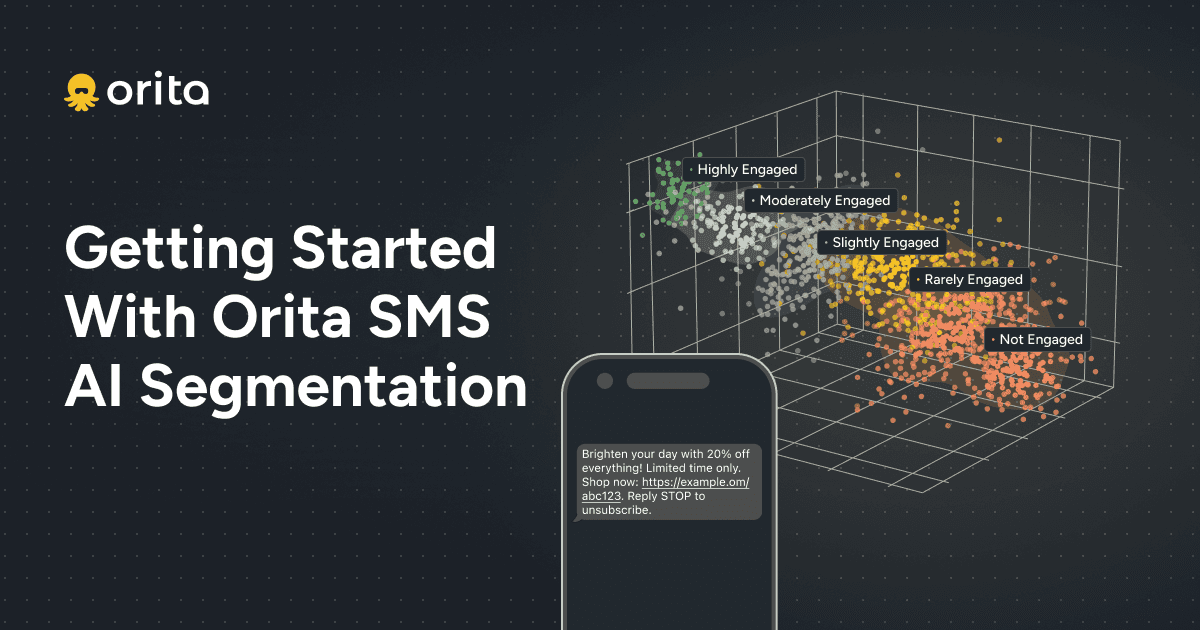
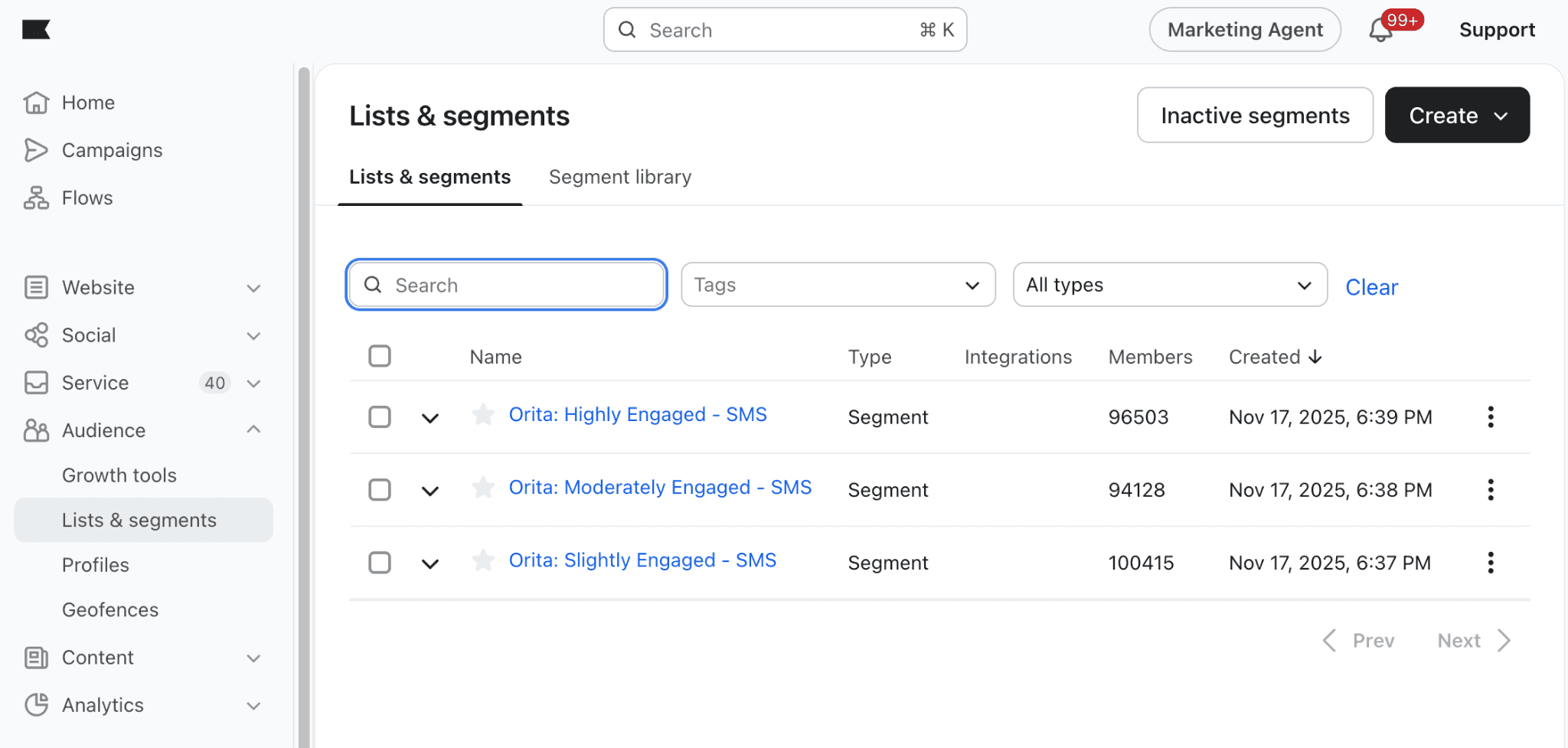
Just like email, your Orita SMS segments are created and updated automatically in Klaviyo. You don't build them and you don't refresh them. Five segments show up in your Lists & segments, and Orita keeps their membership current every day:
Orita SMS: Highly Engaged
Orita SMS: Moderately Engaged
Orita SMS: Slightly Engaged
Orita SMS: Rarely Engaged
Orita SMS: Not Engaged
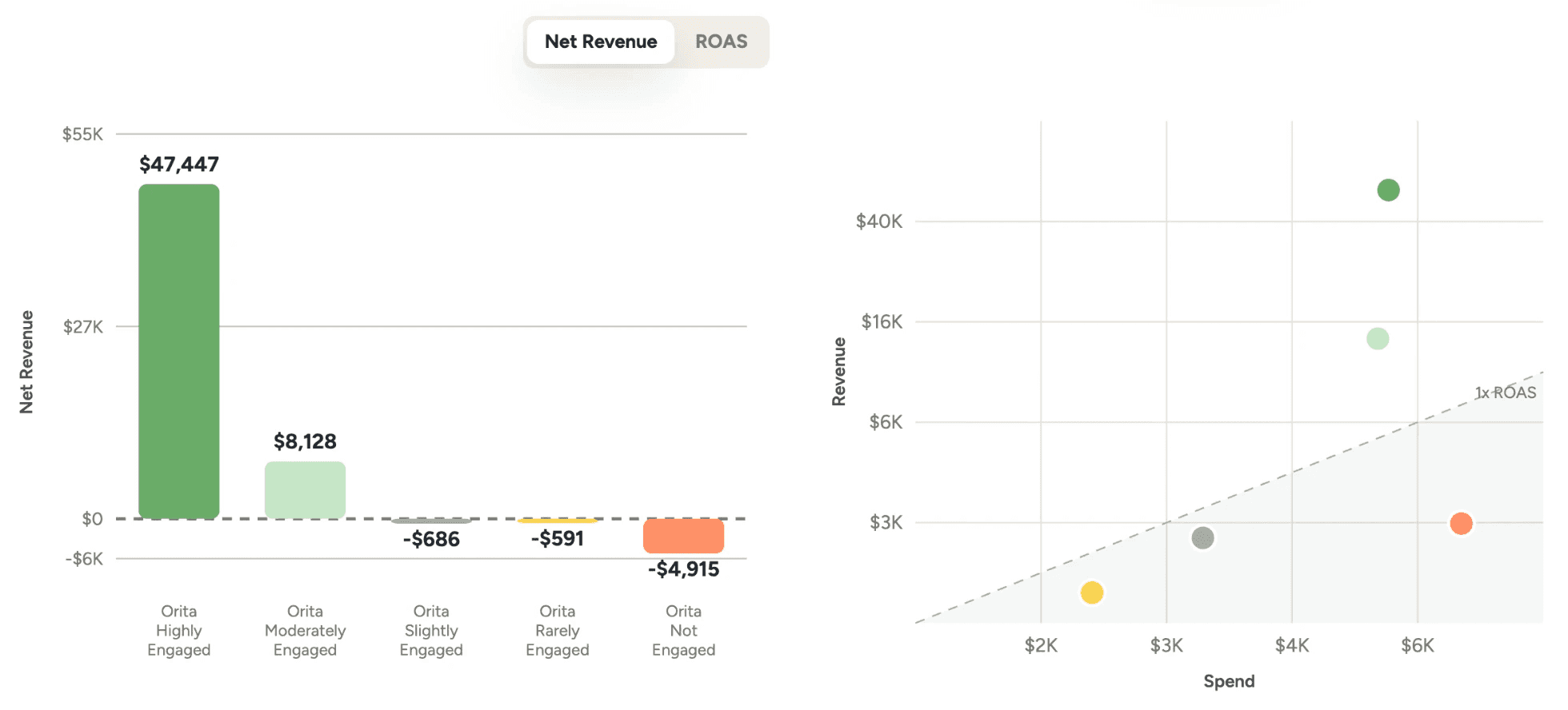
You'll see your results in the Orita app. Aggregate campaign performance shows net revenue and ROAS for each Orita segment across the campaigns you've sent, so you can watch the profitability line move as you change your audiences.
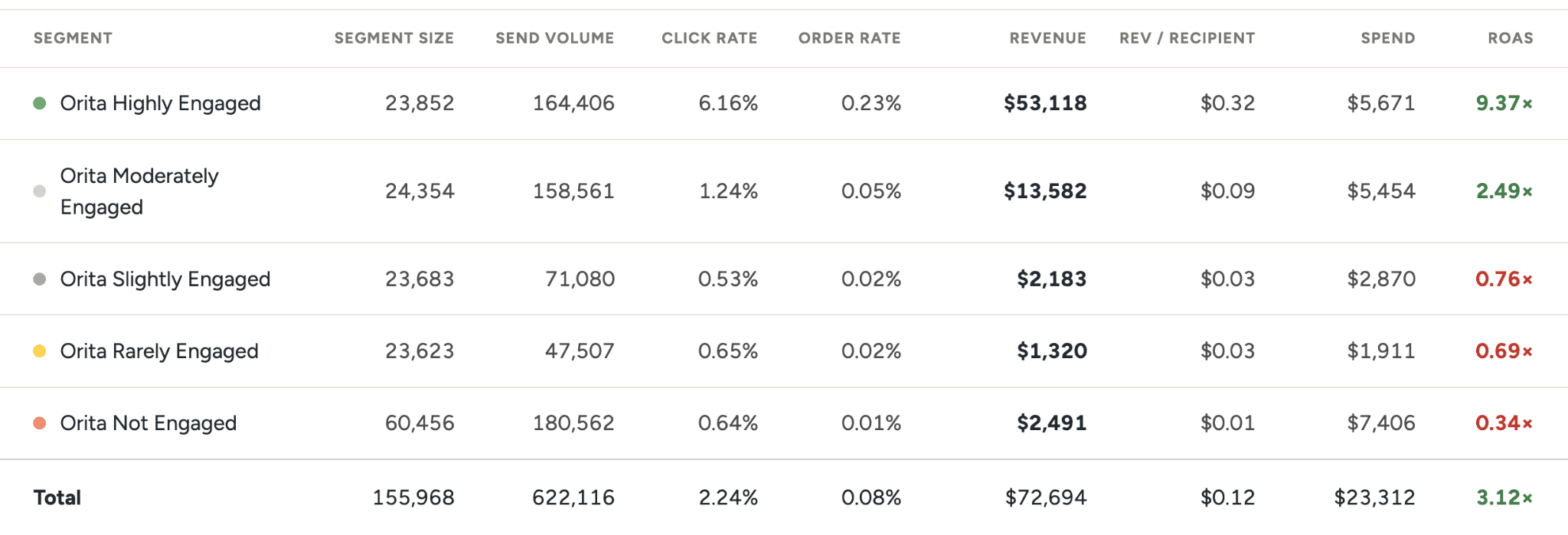
Segment Details gives you the per-segment math. Segment size, send volume, click rate, order rate, revenue, revenue per recipient, spend, and ROAS, all side by side. This is the table you'll use in Week 3 to decide where to stop sending.
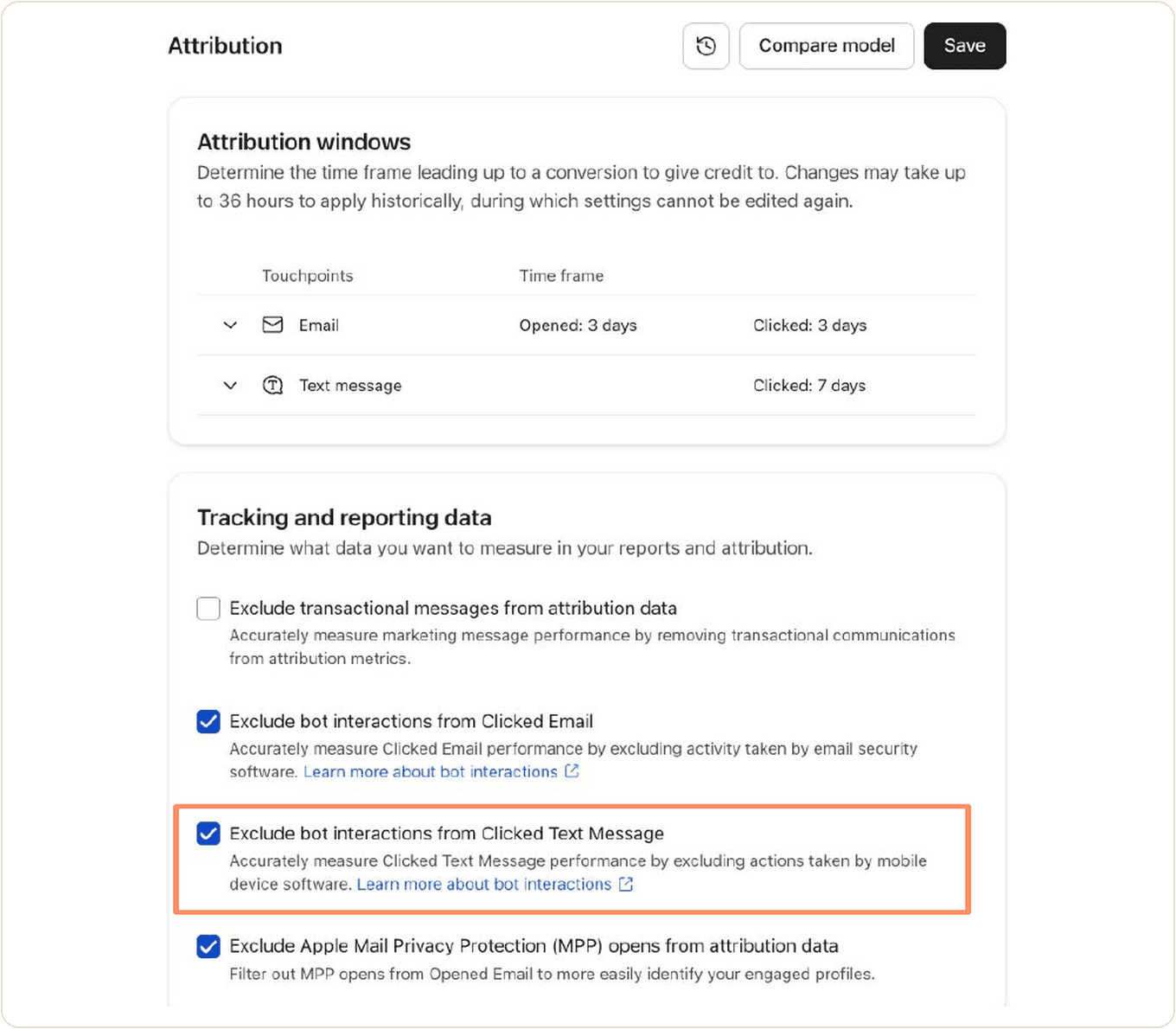
One setup step: remove bot clicks from your SMS attribution settings. Removing bot clicks helps you accurately determine engagement drop-offs between campaign segments in Klaviyo. Bot clicks are already filtered out of SMS reporting in the Orita dashboard, so removing them in Klaviyo means we're comparing apples to apples.
In Klaviyo, go to settings > attribution and uncheck bot interactions from clicked text messages.
Week 1: send to your normal segments, then add Highly and Moderately Engaged
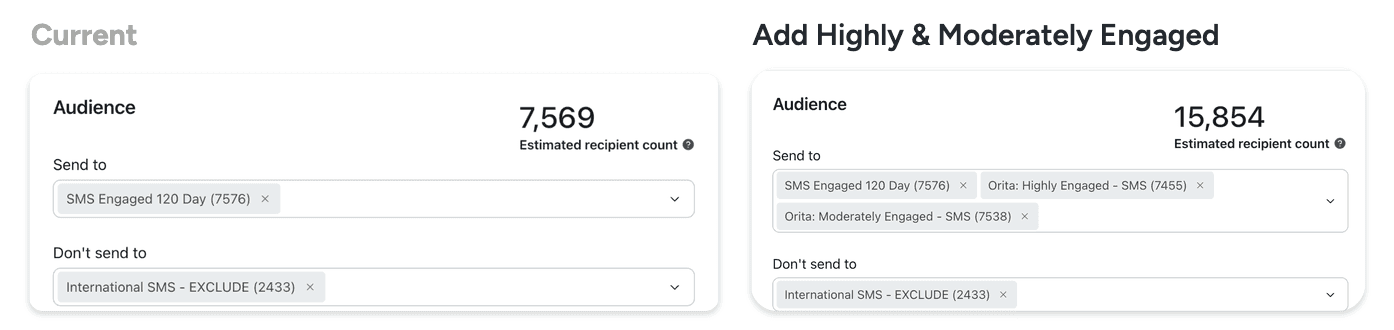
Don't change your calendar this week. Keep sending the campaigns you were already going to send, to the segment you were already going to use. Then layer Orita on top: add Orita SMS: Highly Engaged and Orita SMS: Moderately Engaged to the send.
This picks up engaged subscribers your existing segment is missing. In the example below, the same campaign goes from 7,569 recipients to 15,854 once the two Orita segments are added, and every one of those additional profiles is someone Orita predicts is likely to click and convert on this send.
Week 2: one more send per week to Highly Engaged is the biggest revenue opportunity
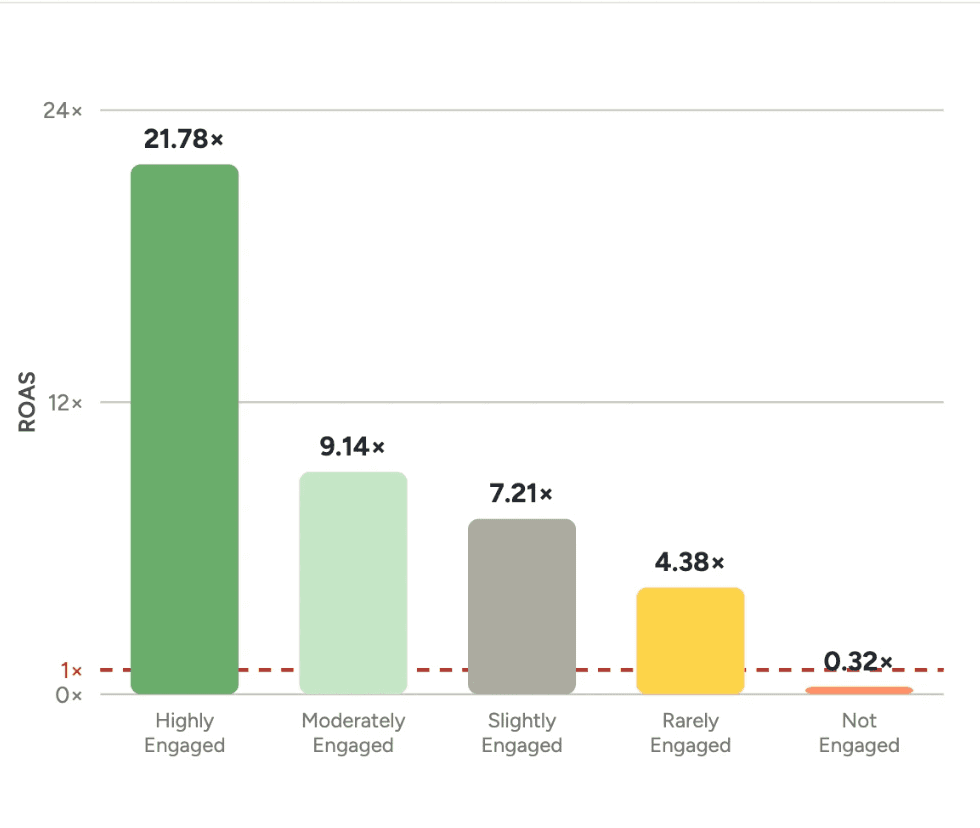
For most brands, this is the single highest-value change in the whole trial. Your Highly Engaged subscribers are really engaged, and more frequent messages bring in more revenue.
Two things to keep in mind:
It doesn't have to be another sale message. Editorial, back in stock, product launches: all of it works here.
Watch the ROAS gap. Highly Engaged clears a much higher ROAS than the tiers below it, which is why adding a send at the top of the list beats extending a send further down it.
Week 3: stop sending to Not Engaged to use credits more efficiently
Not Engaged is the segment where SMS stops paying for itself. In the example below it produces negative net revenue, which means every credit spent there is a credit you'd rather have spent on Highly Engaged.
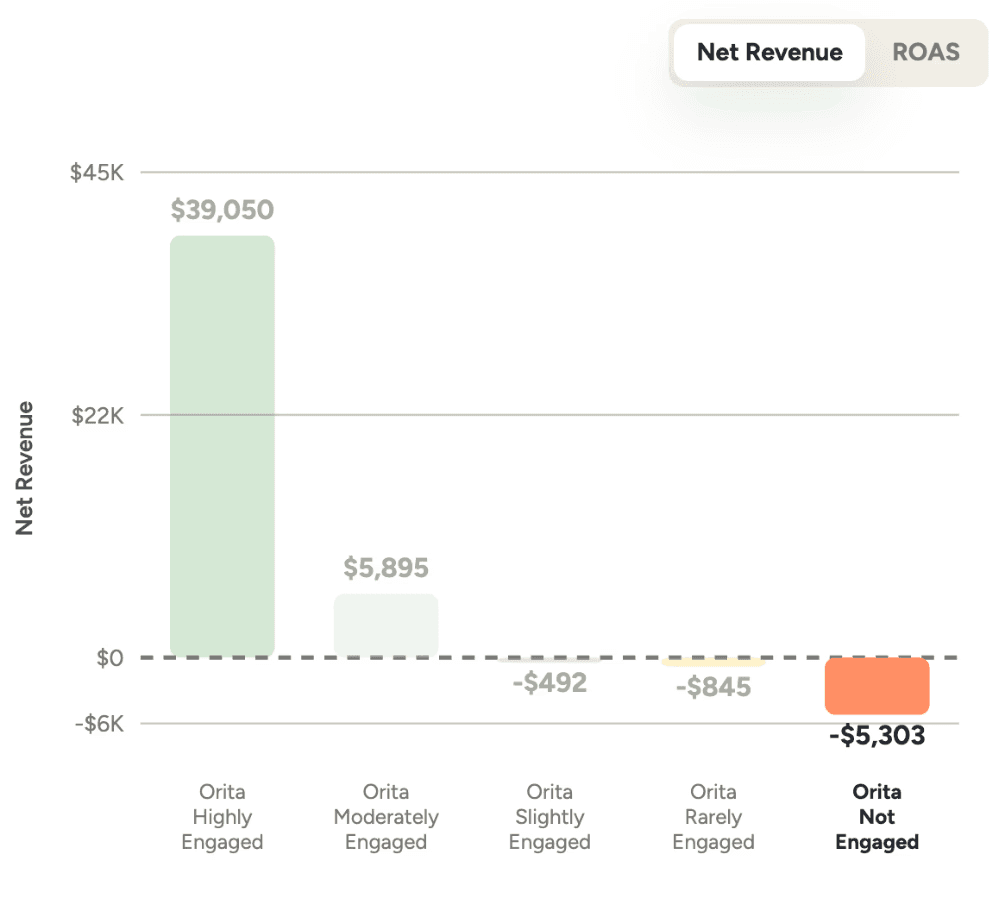
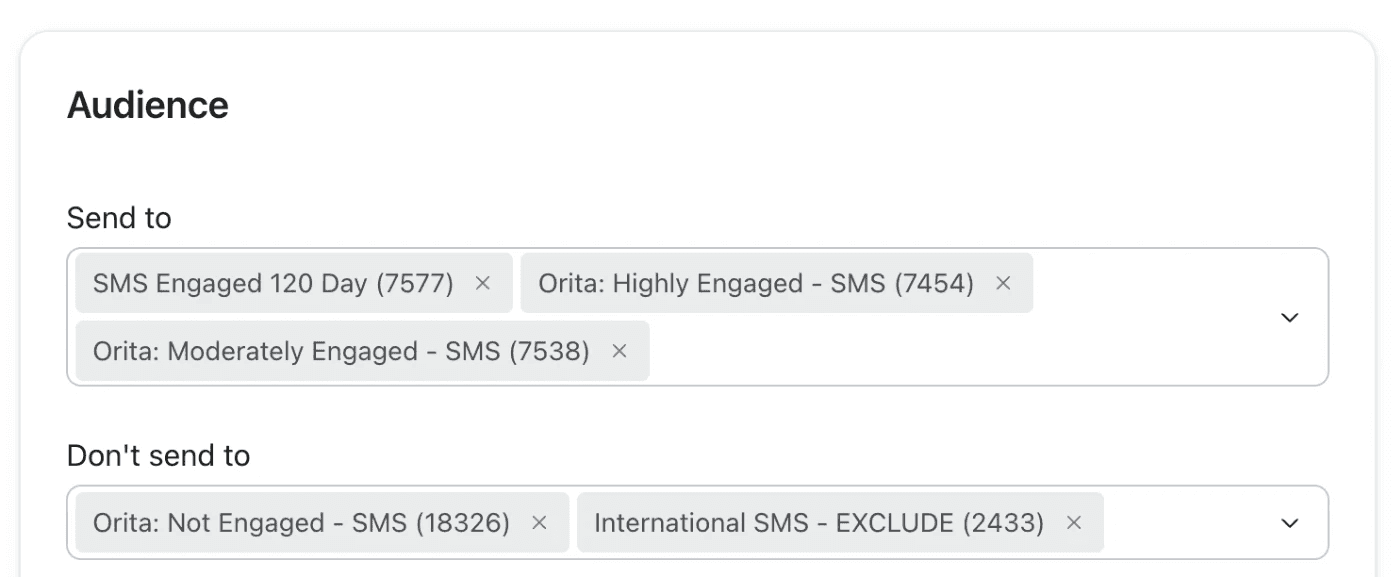
Add Orita SMS: Not Engaged to the "Don't send to" field on your campaigns. You can pull back further than that: if you have a ROAS target for SMS, exclude every segment that doesn't clear it, not just the bottom one.
Week 3, advanced: use Orita profile scores to get more precise
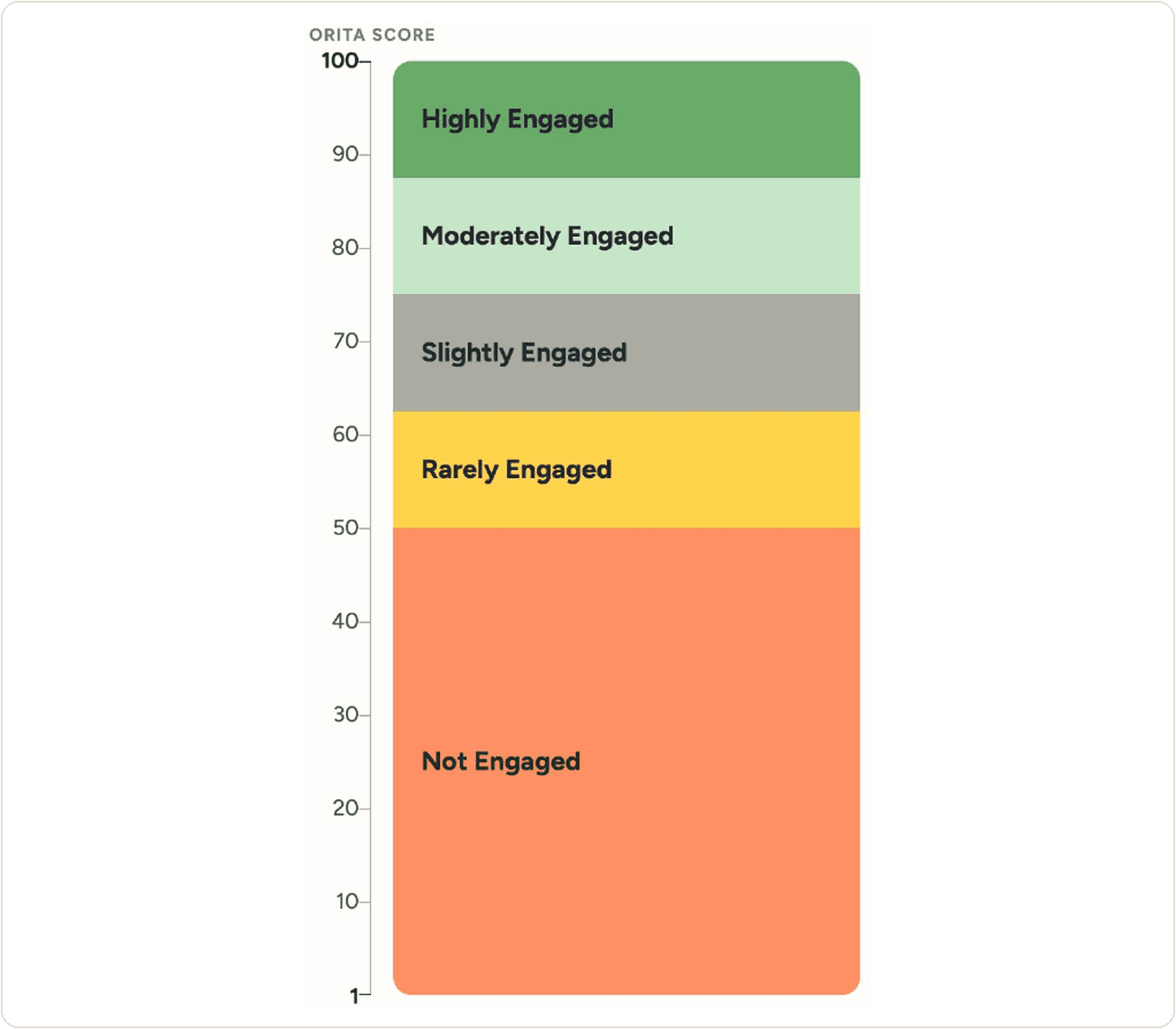
Segments are the fast way in. Scores are the precise way. Orita scores every profile from 1 to 100, most engaged to least engaged, and you can build segments directly on the score to send to a narrower slice of your list.
Some tests worth running:
Only your most engaged: Orita SMS engagement score 95+.
Deeper into Not Engaged without scraping the bottom of the barrel: Orita SMS engagement score 25+.
Split a tier that straddles profitability: if Slightly Engaged is roughly breaking even, cut it in half by score and send to the top half.
The score threshold for each segment varies by brand, so treat the numbers above as illustrative rather than as your brand's cutoffs.
Week 3, other situations: if you're not using all of your SMS credits
If you're finishing the month with credits left over, you have room to test. Three ways to use it:
Send to Highly Engaged more often. They're really engaged, and more frequent messages will bring in more revenue.
Add SMS to your flows. Put a text at the end of your abandoned cart and welcome flows, or use Orita Flows to trigger SMS-specific flows.
Test RCS or MMS. These cost more credits, but you have the headroom, so it's worth seeing whether adding media helps conversion.
Week 4: find your profitability line and lock in what worked
By now you have four weeks of campaigns running through Orita segments, which is enough data to answer the questions that matter for the rest of the year. Open Segment Details in the Orita app and work through these in order:
Where does profitability stop? Find the lowest segment that still clears your ROAS target. That's the floor for your standard campaign audience.
Did the extra send to Highly Engaged pay? Compare the revenue from your Week 2 test against the credits it cost. If it did, make it permanent.
What did excluding Not Engaged save? Look at the credits you stopped spending and where they went instead.
What's your standing audience? Write down the include and exclude list you want on every campaign from here, so you're not rebuilding the decision each time.
The thing to take from the trial isn't a single number. It's that you now know the shape of your own list: which slice is worth texting weekly, which slice is worth texting on a launch, and which slice is better left on do-not-disturb until you have something big to say. That's a decision you can make with a table instead of a hunch, every month from now on.
Your CSM will walk the numbers with you at the end of the 30 days. If you want to go through anything sooner, or you're not seeing what you expected in the dashboard, email us at cs@orita.ai.