You've probably spent real time on your winback subject line. The offer, the tone, the "we miss you" versus "come back and save" debate (did you have one that said “did a bear attack you?” … we really hope you did not). Optimizing your content, story and offer is crucial. As with all things Orita, we’ve followed the data, and it turns out that when the flow actually fires for each person is just as important.
Most flows use a fixed schedule. You know, “If a customer hasn’t bought in 180 days, they enter the winback flow.” The schedule was probably reasonable when someone set it up. It also hasn't changed since, no matter what your list has told you in the meantime.
More importantly, there is no average customer, so even what was “reasonable” never really targeted your customers at the right time.
Orita Flows is our answer to that problem. You get a bespoke ML model that decides when to trigger a flow for each profile, then keeps testing and adjusting, automatically, as your list changes. Below is the playbook: why the timing question is so important, how Orita Flows works, and exactly how to set up an Orita-triggered flow in Klaviyo.
As Homer Simpson once said, “first you get the flows right, then you get the honey, then you get the power …”
Timing beats a fixed schedule, or “How I Learned to Love Contextual Bandits”
Here's the thing about a 90-day trigger, or any fixed timing: it's a guess. Somebody picked 90 days because an analysis said so, our buddy Claude suggested it with A LOT OF CONFIDENCE, or it just felt right. And once it's set, it stays put even as your list, your product, and your customers' behavior all shift underneath it.
Orita Flows uses a contextual bandit: a model built to explore and exploit at the same time.
It tests small slices of your list across different windows (42 days quiet, 65 days, 427 days, and so on), measures which windows actually convert, and shifts sends toward the ones that work. Windows that don’t perform get less volume. Windows that show lift get more. Every week sharpens the entire program.
We pulled a real (anonymized) example from a brand's Customer Winback flows to show what this looks like in practice. Results below.
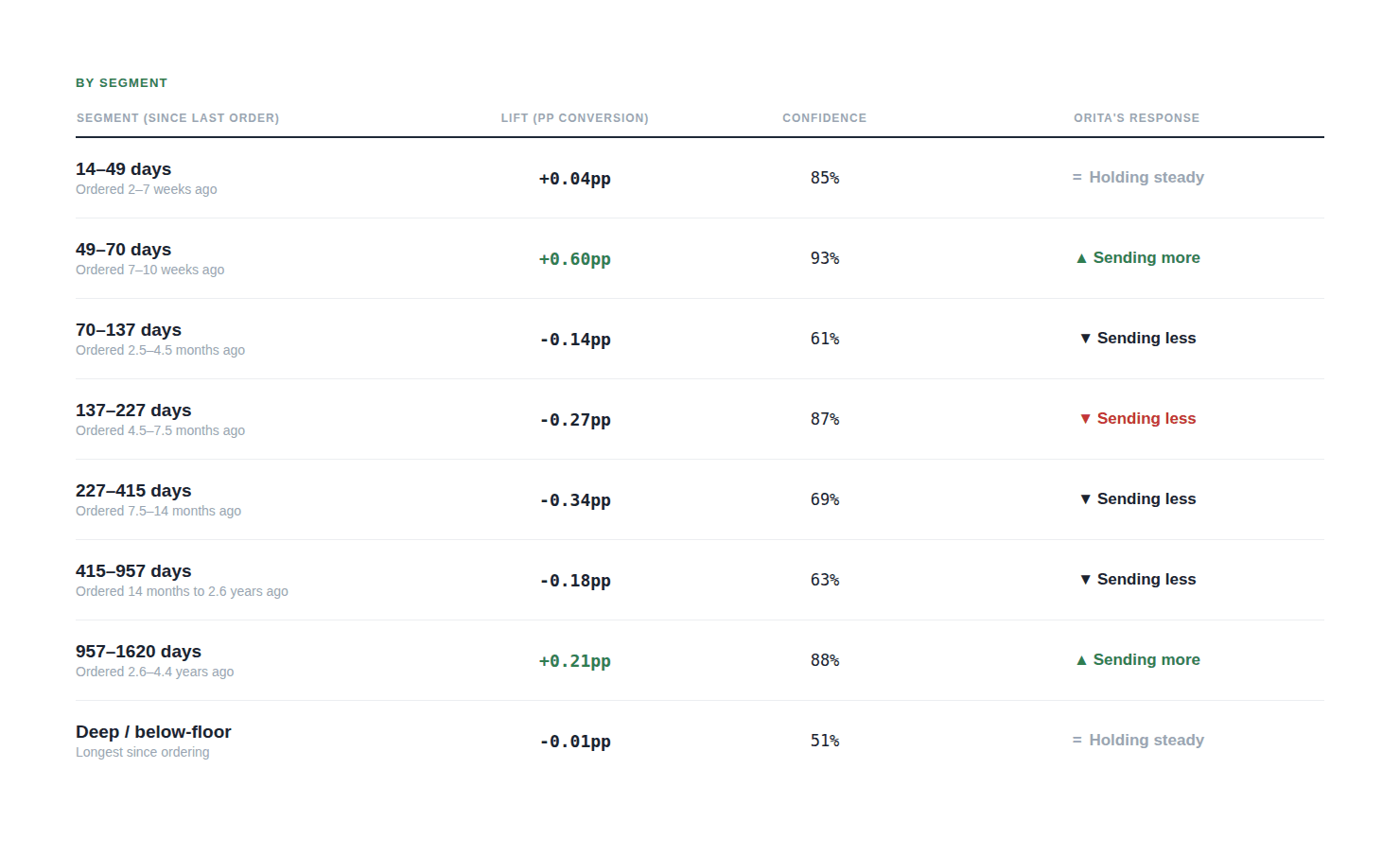
Orita’s Flows algorithm explores different times to “trigger” the flow, and improves over time
A fixed 90-day or 180-day flow would never reach a customer who's been quiet for three years. But the brand’s custom model found real lift anyway. That's the whole argument for testing timing instead of assuming it: the "obviously dead" segment wasn't dead. Somebody just had to check.
You can see that the model is probing a breadth of triggers. Many are not good. That’s okay! That’s what a great test does. Because if we didn’t test broadly, there’s no way the brand would have found the pockets of strong performance they did.
Six weeks after launch, this midmarket brand had generated $20,480 in incremental flow revenue above their existing flow. No new channel, no new creative. A different trigger yielding much more revenue.
The playbook: setting up your own timing-optimized flows
Orita Flows works by cloning a flow you already have and swapping the trigger to an "Orita Decision" event, the signal our model sends when it's decided a specific profile should enter right now. Here's how that comes together, using our two most common flow types.
Customer Winback
What it's for: re-engaging customers who've gone quiet, without guessing the right time to bring them back.
How it works: the algorithm explores different days-since-last-engagement pockets, tests them incrementally week-over-week, and learns which windows drive a "Placed order" event. It pulls back from anything flat or negative.
Setup:
Build the flow in Klaviyo. Clone your existing winback flow if it's already triggered off a placed-order event, or draft a new one using that trigger.
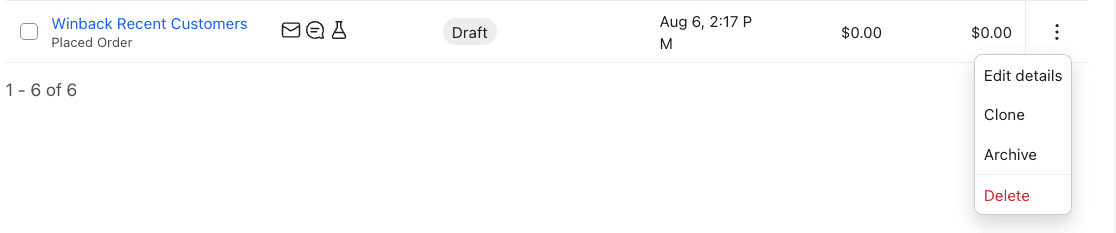
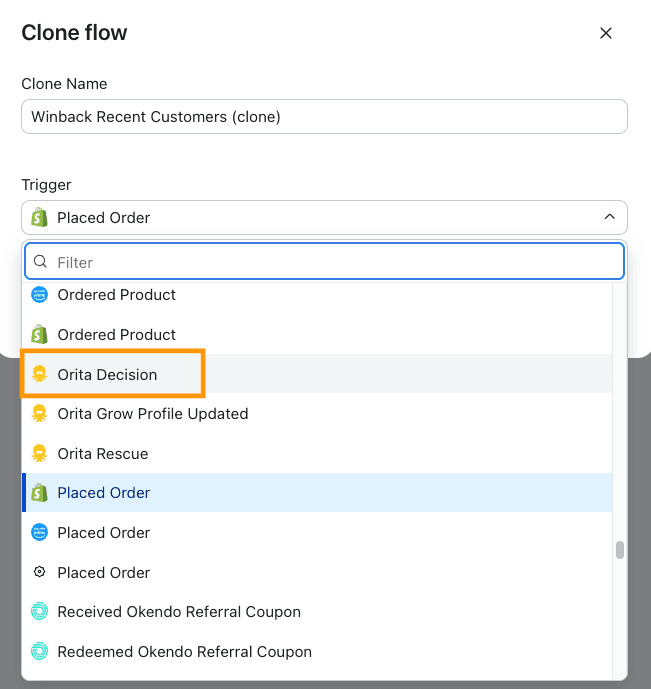
Swap the trigger to the Orita Decision event. This is what hands timing control to the model.
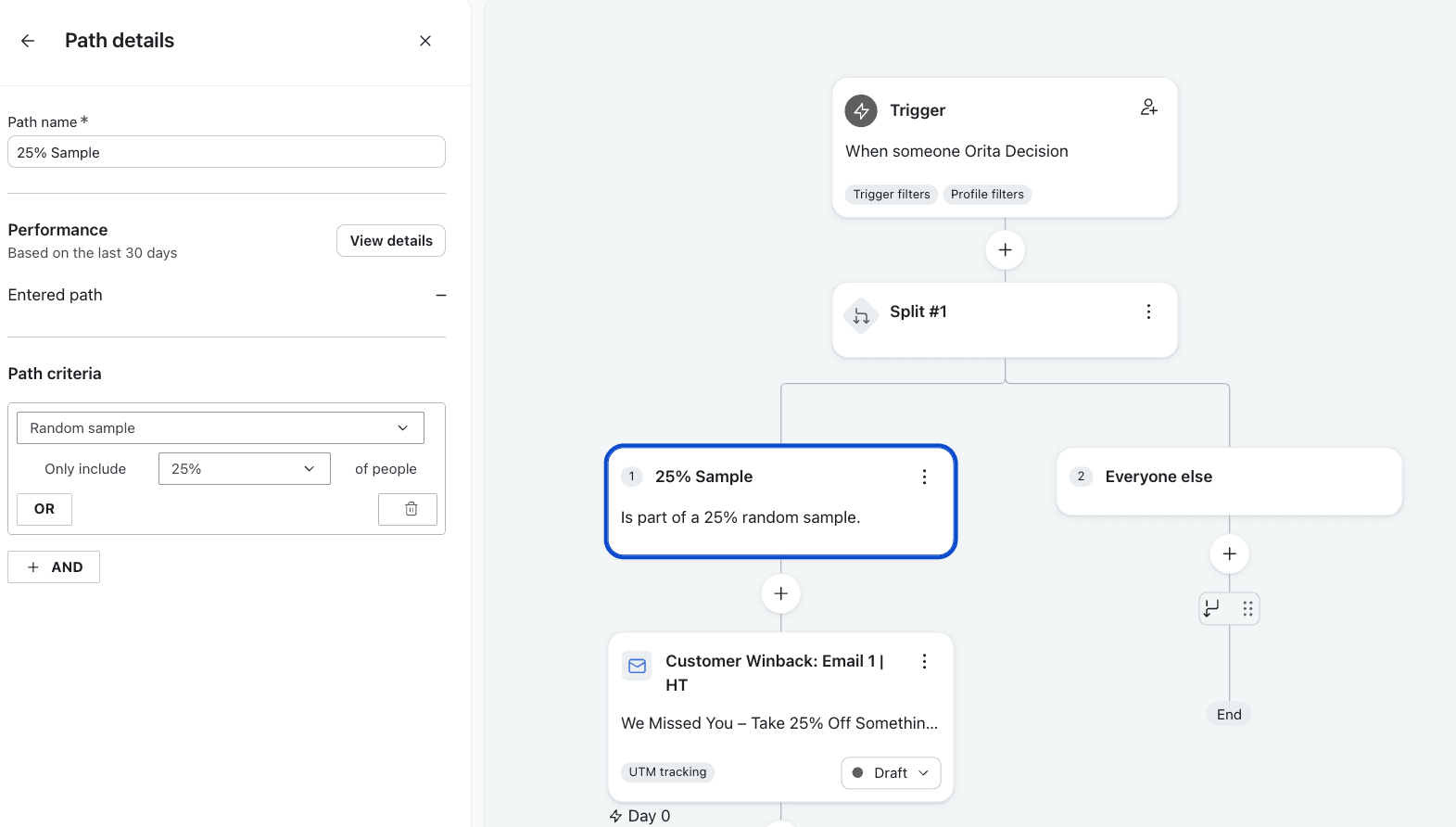
Start small. Use a random sample conditional split to route a smaller % of your audience through the flow first, so you can monitor performance before the model widens the send. (Ex: 25%)
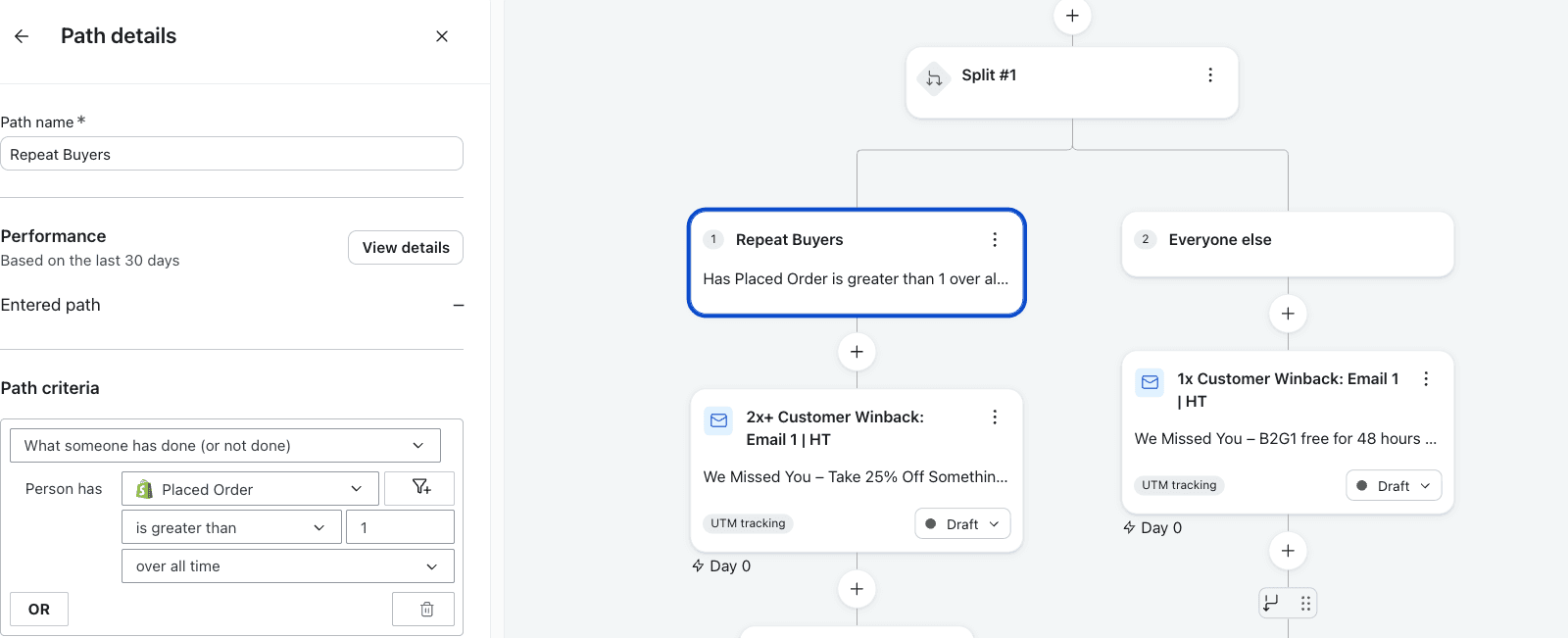
Branch by customer type, if it's useful: first-time buyers can get a different offer (store credit, a mini product, a percentage off) than repeat buyers, who can get a different sequence entirely.
Let it run and widen. As the model gathers weeks of data on your list, it expands the audience toward the pockets that are actually converting.
Profit. But be subtle, no one likes a show off
It’s easy, and your Orita CSM would be happy to help you set it up if needed!
Prospect Re-engagement
What it's for: people who went through your welcome series and left without buying. Same underlying model, scoped to prospects instead of existing customers.
How it works: same exploration-and-learning approach, but the winning event can be an order, a site visit, or an email click, since prospects show intent differently than existing customers do.
Setup:
Build the flow in Klaviyo. Draft one off a placed-order trigger, or clone your existing "prospect re-engagement" flow if you have one.
Swap the trigger to Orita Decision, same as above.
Start small, then widen as the model learns.
Pause any existing sunset flows for this audience while you ramp up. You don't want profiles suppressed before the model has had a real chance to find the right re-engagement windows.
Keep the content tight. Start with two emails pulled from your existing non-buyer lead content. You can always add a third once you see how the timing is performing.
A few things worth knowing before you flip it on
Smart sending should stay off for flows targeting your highest-propensity buyers (like a Propensity to Purchase flow). Keep your flows flowing, even if the audience may have recently received a campaign message.
Pay attention to the lift + Confidence intervals.. Confidence in a given window climbs as more weeks of data come in. A window reading 58% confidence in week two might be reading 90%+ by week six. That's the model getting more sure, not the sample getting worse. Once it passes 80%, that’s a strong signal there’s something there; 90%+ and you can be sure
"Sending less" is the model working, not the flow failing. When a window's lift goes negative and Orita pulls back, that's exactly what you want. Sends that weren't producing anything just got sent somewhere they'd actually help instead.
The takeaway: Use Orita Flows to get the timing right
You've already done the hard work of writing good flow content. Orita Flows makes sure that content actually reaches people at the moment they're most likely to respond to it, and keeps re-checking that moment every single week as your list changes. It's the same emails. It's just better timing, and timing is worth more than most of us give it credit for.
Have questions about setting up Orita Flows on your account? Reach out to your CSM or email us at cs@orita.ai.