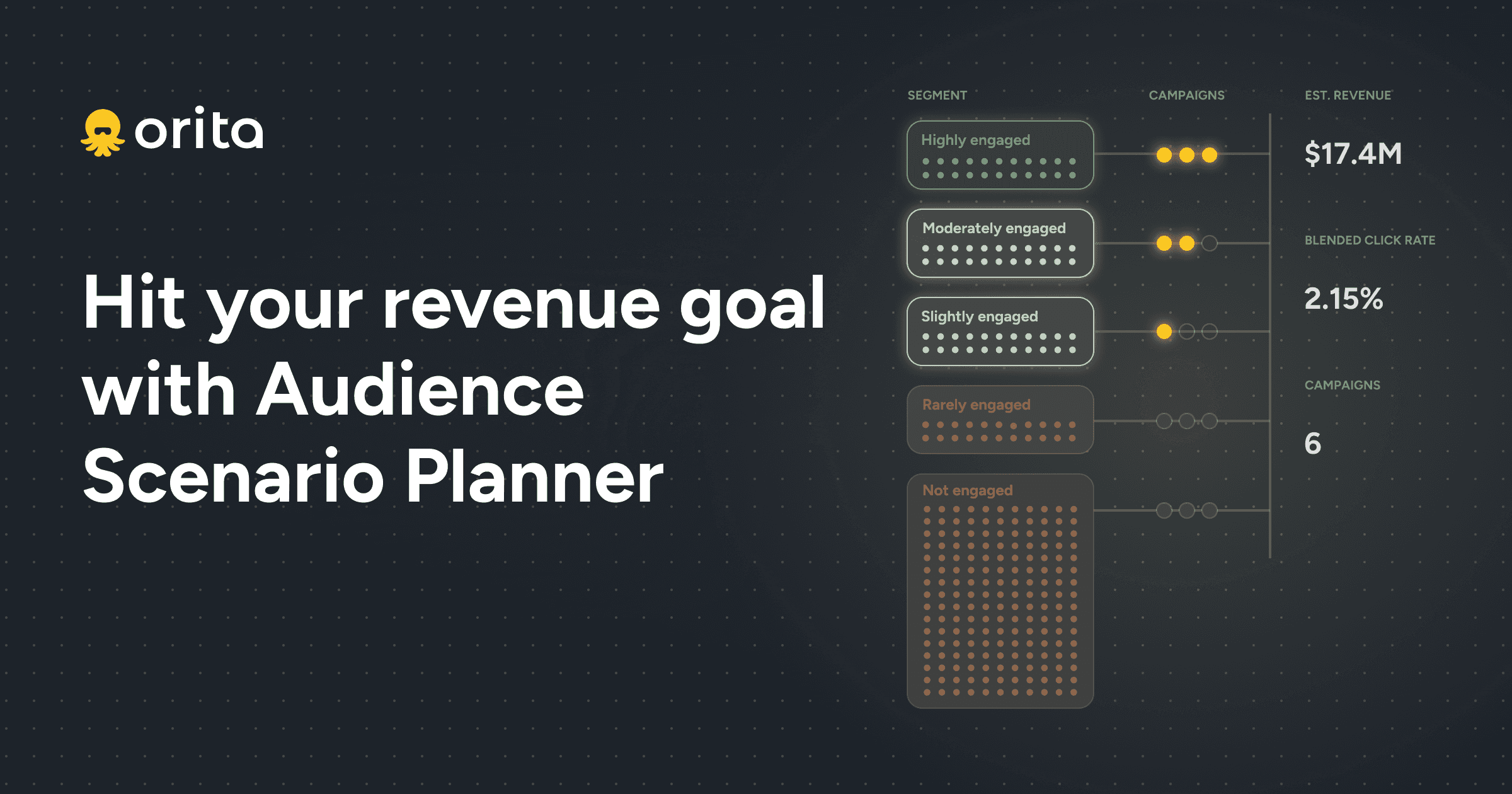
The Audience Scenario Planner is an Orita feature to help you plan how many campaigns you need to send, and to which segments, to hit your revenue target while managing click rate.
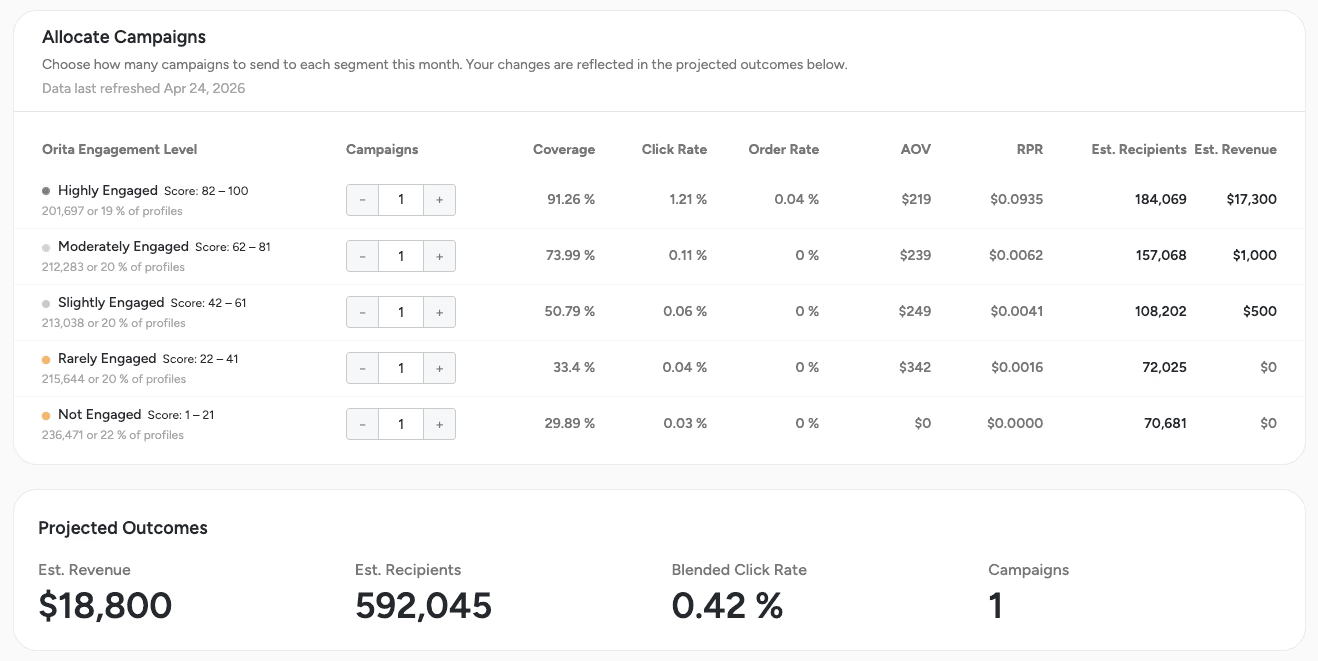
It uses the last 30 days of your data to project revenue, click rate, and order rate across your Orita segments, so you can shape your sends to the right audiences to hit your goals.
Audience Scenario Planner is built for you if you're planning the calendar or carrying a revenue target.
If you're a lifecycle or retention marketer mapping out the next month, an e-commerce lead who owns the campaign cadence, or anyone who owns a target that depends on send strategy: this feature is for you.
Open it when you've got a target to hit, or when someone's asking you to send to everyone.
Two situations where the planner comes in handy:
You've got a number to hit this month. Model how many campaigns get you there, and which audiences carry which sends. No spreadsheet wizardry, no "let's just hope this works."
Someone in the org is pushing to "just send to everyone." You know the conversation. The planner shows what that actually costs in projected revenue and engagement, and how sending to everyone hurts your click rate (and deliverability) without making much impact to the revenue total. You're now equipped with a model to have a data-based conversation, instead of a debate.
Start with Highly Engaged. Play with adding in less engaged segments and track impacts on revenue and click rate.
Highly Engaged goes in every send. They're your most reliable revenue. Each tier you add below brings more reach, BUT lower projected click rate, order rate, and revenue per send. The planner makes the tradeoff visible. You add a segment, you see what it adds (or doesn't), and you decide.
Highly Engaged: These are your profiles showing the highest likelihood of engaging with an email today. Send almost every campaign to this group for the strongest click rate and revenue lift. They are also the least likely to take negative actions (unsubscribe/spam).
Moderately Engaged: Generally it is a good idea to include this segment in at least 25-50% of your campaign sends. They're not your most active profiles, but for most brands they're showing enough consistent signal that sending regularly should minimally impact deliverability. If you’re focused on increasing your click rate, this segment may slow your progress some.
Slightly Engaged: Here is where you start to make judgment calls. These profiles have some intent signal, but it's weak or infrequent. Including them in every send will drag down your engagement rates and will contribute significantly lower revenue than your top segments. Best suited for occasional sends.
Rarely Engaged: Treat with caution. These profiles have shown very little interest and sending to them regularly will often hurt deliverability more than it helps revenue.
Not Engaged: The riskiest group to send to and generally not recommended. Sending here is likely to generate unsubscribes, spam complaints, and inbox placement issues. Reserve for peak sale periods only (BFCM or similar).
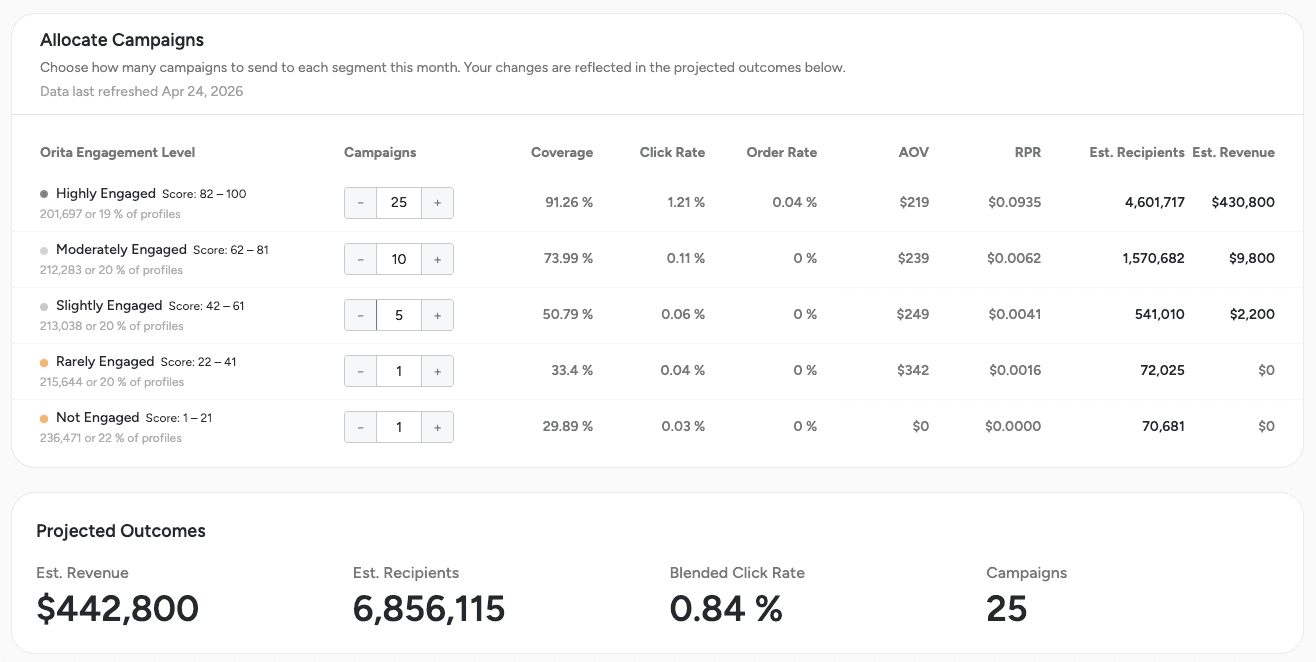
How to think about other segments and the planner.
The planner models your Orita engagement tiers. Two other segments are worth a quick word:
Add Orita Grow to every campaign. Grow is a separate Orita segment built around propensity to buy. It surfaces high-intent profiles regardless of which engagement tier they sit in. Include it on every campaign you plan, and you'll catch buyers you would've otherwise walked right past.
Be mindful with custom segments and behavioral filters. The planner can't see anything you've built outside Orita. So if your actual sends layer in a custom segment, the results won't match what you saw planned. Lean on Orita segments where you can. When you do add something custom, treat the projection as a directional guide, not a forecast.
Open the Audience Planner before your next calendar lock.
You'll find it in your Orita dashboard. If you want a second set of eyes as you work through it, reach out to your CSM or message cs@orita.ai. .