Email list validation confirms an address can receive mail. It checks formatting, verifies the domain exists, and pings the mailbox to confirm it’s active. But here’s what validation can’t tell you: whether someone who ignored your last ten emails will suddenly open number eleven. Removing invalid addresses fixes your bounce rate, but it won’t fix engagement with the thousands of valid contacts who just aren’t interested right now.
TLDR:
Email validation confirms proper formatting and mailbox existence, but can’t identify who actually wants your emails
Hard bounce rates above 2% trigger spam filtering; above 5% risk complete blocks from ISPs
Validation removes broken contacts; optimization predicts which valid subscribers will engage with each campaign
Regex patterns catch syntax errors instantly but miss abandoned inboxes and disposable domains
Orita scores contacts daily to identify high-intent subscribers, improving both conversions and sender reputation
What Is Email List Validation and Why It Matters
Email list validation confirms whether email addresses are formatted correctly and can receive messages. When you validate an address, you’re verifying it follows syntax rules and that the domain exists and accepts mail.
Here’s the key difference: validation checks if an address could work (proper format, real domain), while verification pings the mailbox to confirm it’s actually active.
Invalid addresses damage your sender reputation. When emails bounce from malformed addresses or dead domains, email providers take notice. Too many bounces signal careless sending practices, pushing your emails into spam folders or blocking them outright.
Here’s what most guides miss: removing invalid addresses fixes only part of the problem. A perfectly validated list full of real, deliverable addresses can still tank your campaigns. Valid doesn’t mean engaged, and that distinction changes everything about list health.
How Email Validation Works: The Three-Layer Process
Validation tools check email addresses in three sequential steps, each catching different types of problems.
Syntax Checking
The first layer scans for formatting errors. The tool confirms the address includes an @ symbol, has text before and after it, and follows standard email structure. Simple mistakes like “user@domain,com” or “user@@domain.com” get flagged immediately. This step catches typos and obviously broken addresses.
Domain Verification
Next, the tool checks if the domain exists and accepts email. It queries DNS records to confirm the domain is registered and has mail servers configured. An address like “user@totallyfakedomainthatdoesntexist.com” fails here because there’s no actual domain to receive mail.
Mailbox Existence
The final layer connects to the mail server and asks if the specific mailbox exists without actually sending a message. This step catches addresses where the domain is real but the individual inbox was never created or has been deleted.
Most validation services stop here. They confirm the address exists and can technically receive mail. But here’s what they can’t tell you: whether anyone checks that inbox or wants your emails.
Email Validation Methods: From Regex Patterns to API Services
You can validate email addresses through methods that vary from quick syntax checks to real-time server verification. Each one catches different issues and fits different use cases.
Regex patterns check if an address follows the right format. A basic pattern like ^[a-zA-Z0-9._%+-]+@[a-zA-Z0-9.-]+\.[a-zA-Z]{2,}$ spots formatting mistakes. RFC 5322 defines the official standard, but following it exactly creates problems since major providers reject technically valid addresses.
Gmail, Outlook, and Yahoo block addresses with consecutive dots or certain special characters that RFC 5322 allows. A regex might approve “user..name@domain.com” as valid, but Gmail bounces it.
API services like ZeroBounce, NeverBounce, and Clearout connect to mail servers directly. They verify domains exist, check MX records, and confirm mailboxes accept mail. These catch what regex misses: abandoned addresses, full inboxes, and temporary domains. The downside is speed and cost per check versus instant, free regex validation.
The Hidden Cost of Invalid Email Addresses on Sender Reputation
Invalid addresses create a cascade of deliverability problems that email providers track closely. When your bounce rate climbs above 2%, ISPs start questioning your list hygiene. Above 5%, you’re signaling serious problems that trigger spam filtering or outright blocks.
Nearly 60% of email senders clean their lists specifically to remove invalid addresses, minimize duplicates, and stay compliant with privacy regulations. That’s a majority of marketers treating list cleaning as essential maintenance, not optional.
Here’s the math: send 10,000 emails with a 6% bounce rate, and 600 messages hit dead addresses. Email providers see those 600 failures and lower your sender score. Lower scores mean worse inbox placement for every future send, even to valid addresses. The cost compounds with each campaign. Enough bounces, and legitimate emails start landing in spam folders because providers associate your sending domain with poor list hygiene practices.
Free vs Paid Email Validation Tools: What You Actually Get
Free validation tools work well for basic syntax checking on small volumes. They catch formatting errors like missing @ symbols or malformed domains. For testing individual addresses or spot-checking lists under a few hundred contacts, free options handle the job.
Paid services add accuracy, speed, and data security. They verify mailbox existence by connecting to mail servers, not just confirming domains exist. They process bulk lists faster through parallel connections instead of sequential checks. Your contact data stays on secure, compliant infrastructure rather than passing through browser extensions or public tools.
The accuracy difference matters most. Free tools miss catch-all domains, temporary email services, and role accounts like info@ or support@ that rarely convert. Paid services detect these patterns through updated databases of problem domains and disposable providers.
Use free tools for individual address validation or small sample testing. Switch to paid services when cleaning your full database or handling sensitive subscriber information.
Bulk Email Verification: Best Practices for Large Lists
Large lists require structured validation workflows, not one-time cleanups. The biggest mistake is treating validation as a project rather than an ongoing process.
Segment results into actionable categories instead of binary valid/invalid buckets. Separate hard bounces (permanent failures), soft bounces (temporary issues), catch-all domains (uncertain deliverability), and role accounts. This lets you handle each group appropriately.
Validate in batches before major campaigns, not just during annual cleanups. When processing 50,000+ addresses, use secure API connections rather than browser-based tools to avoid timeouts and partial uploads.
Set automatic triggers for validation. When someone hasn’t opened an email in 180 days, re-verify their address before re-engagement campaigns. When bounce rates spike on a segment, validate that cohort immediately.
The workflow matters more than the tool itself. Validation removes obviously broken addresses, but it can’t identify who actually wants your emails or who’s likely to convert next.
Beyond Validation: The Bigger Problem with Stopping at Validated Lists
A validated list confirms which addresses can receive mail. It won’t tell you who wants it.
You can verify every mailbox exists, purge malformed addresses, and still send to people who lost interest months ago. Those emails land in valid inboxes (or spam folders) and sit unread. Inbox providers track that behavior. Low engagement damages deliverability the same way high bounces do.
The real challenge: most brands either suppress too many contacts or not enough. They cut anyone who hasn’t clicked in 90 days, abandoning revenue from subscribers who’d respond to the right message at the right moment. Validation alone won’t fix that.
Why Email List Optimization Beats Email List Validation
Validation removes addresses that can’t receive mail. Optimization identifies which addresses should receive each specific campaign. The difference is technical function versus strategic targeting.
After you validate your list, you’re left with thousands of deliverable addresses. Optimization asks the harder question: which of these people will actually engage right now? Email open rates sit at just 36.5% across industries, meaning most validated contacts ignore most messages.
Optimization uses behavioral signals to predict intent. Purchase recency, browse activity, past engagement patterns, and lifecycle stage all indicate who’s ready to act. These signals change daily. Someone disengaged last month might show renewed interest this week, but batch validation won’t catch that shift.
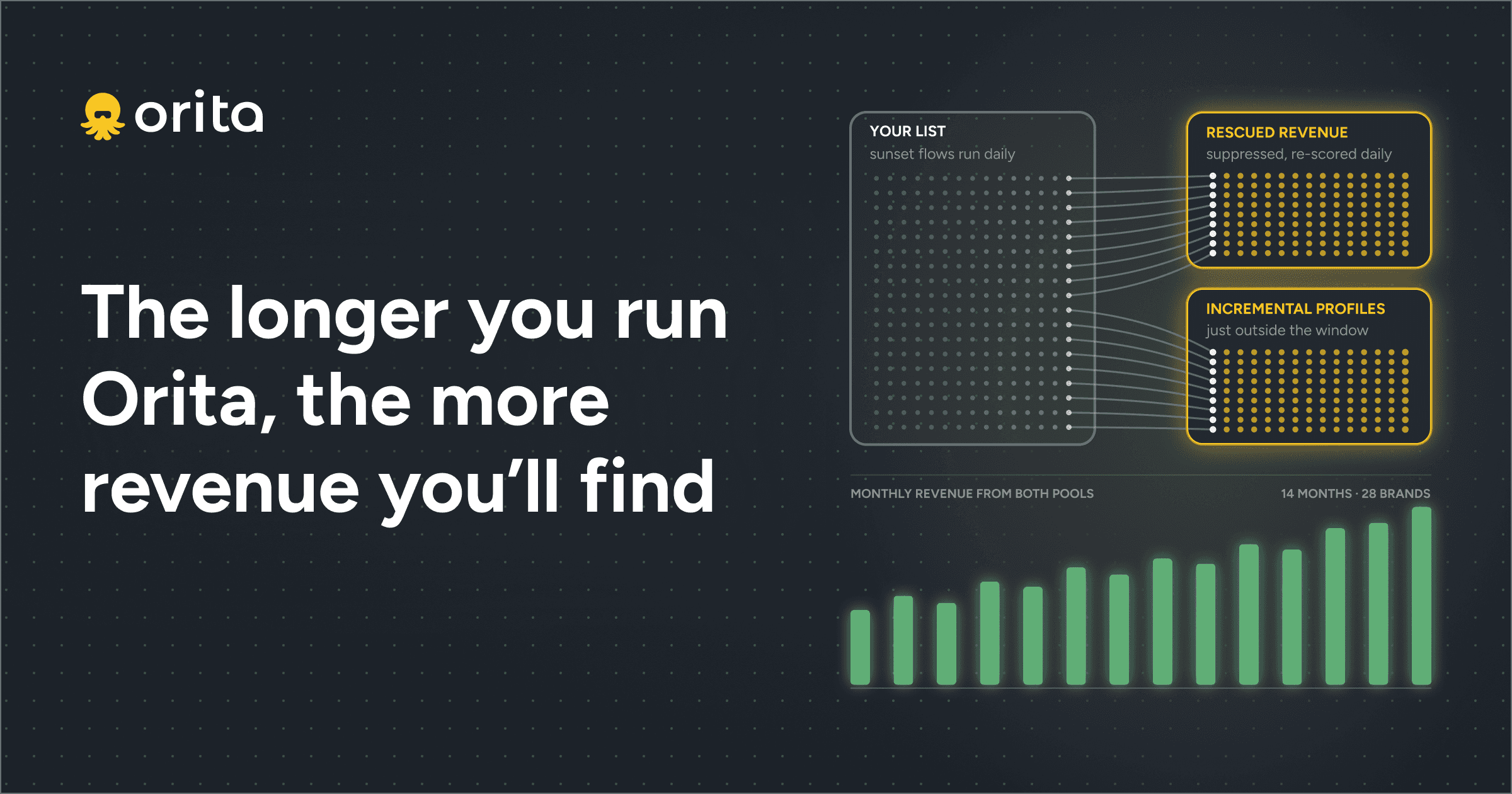
Orita scores every contact daily based on their likelihood to click or buy in your next campaign. You’re not just mailing valid addresses. You’re sending to people most likely to convert right now, which improves both engagement metrics and inbox placement by proving to providers that recipients actually want your emails.
Final Thoughts on Building a Healthy Email List
You can validate every address on your list and still struggle with deliverability if engagement stays low. Email validation tools remove technical problems, but strategic segmentation determines who should receive each campaign. Inbox providers care about both bounce rates and engagement metrics when deciding where your emails land. Start by cleaning obvious issues, then shift your focus to reaching subscribers who’ll actually open and click what you send them.
FAQ
How often should you validate your email list?
Validate before major campaigns and set automatic triggers for contacts who haven’t engaged in 180 days—but remember that validation only removes dead addresses, not unengaged subscribers who still receive but ignore your emails. Much better to engage in list optimization.
What’s the difference between email validation and email verification?
Validation checks if an address follows proper format rules and the domain exists, while verification pings the actual mailbox to confirm it’s active and can receive mail right now.
Can a validated email list still hurt your deliverability?
Yes—a perfectly validated list full of real, working inboxes can still tank your campaigns if those contacts consistently ignore your emails, since inbox providers track engagement patterns just as closely as bounce rates.
What bounce rate triggers spam filtering from email providers?
Bounce rates above 2% raise red flags with ISPs, and anything above 5% signals serious problems that can trigger spam filtering or outright blocks of your sending domain.
Why do free email validation tools miss problems that paid services catch?
Free tools typically only check syntax and domain existence, while paid services detect catch-all domains, temporary email services, role accounts, and other patterns that look valid but rarely convert or engage.